Ask, and be asked.
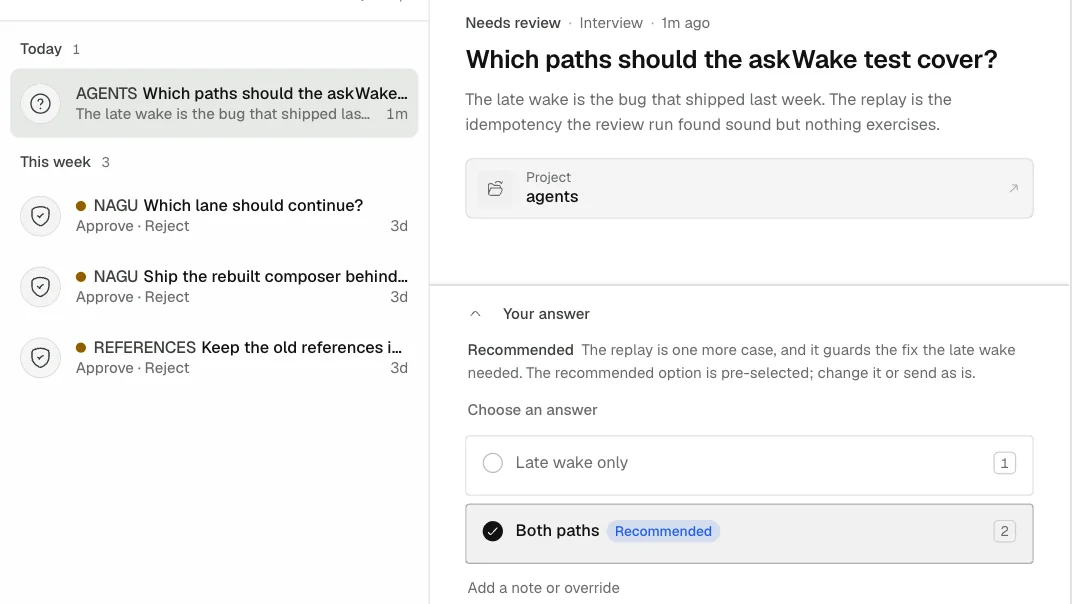
Start work from the web, your phone or the terminal. When a run reaches a real fork, its question waits in the Inbox as Needs review, with the agent's recommendation, until you answer.
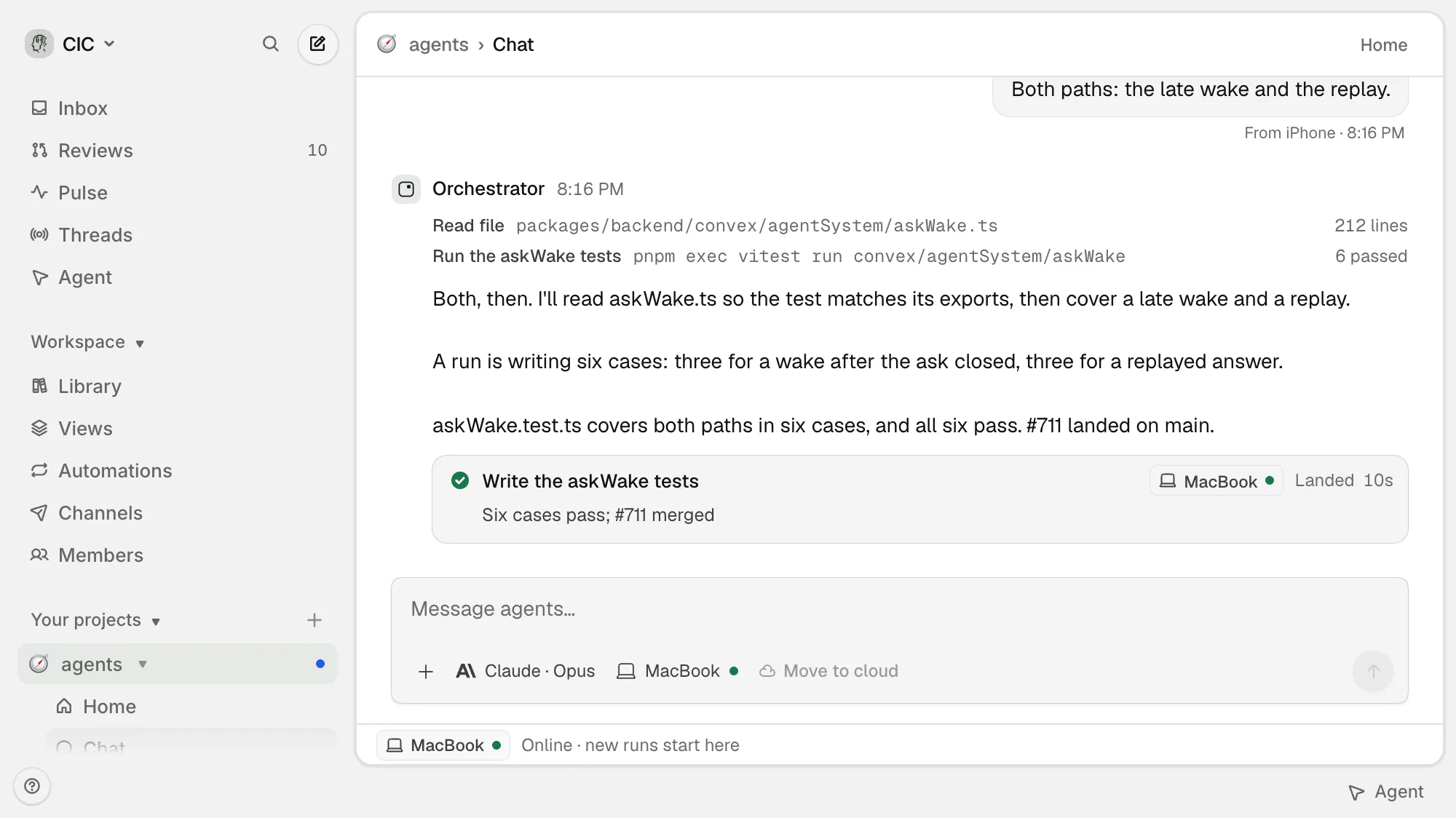
Start work from the web, your phone or the terminal. When a run reaches a real fork, its question waits in the Inbox as Needs review, with the agent's recommendation, until you answer.
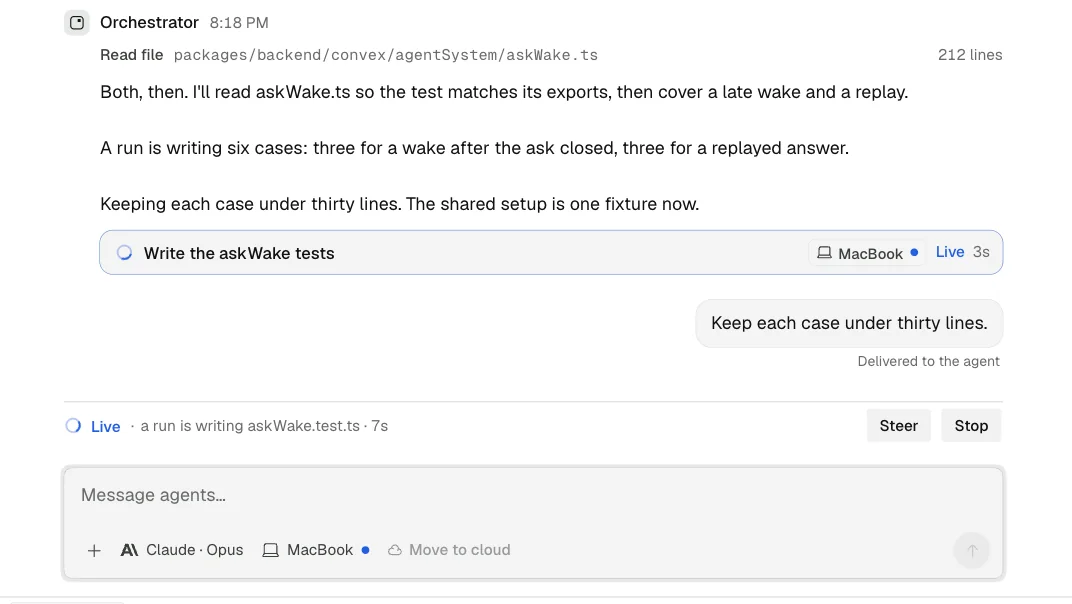
Every run streams into its Thread as it works: what it read, what it ran, what it changed. Send a sentence to steer it mid-flight. Nothing runs out of sight.
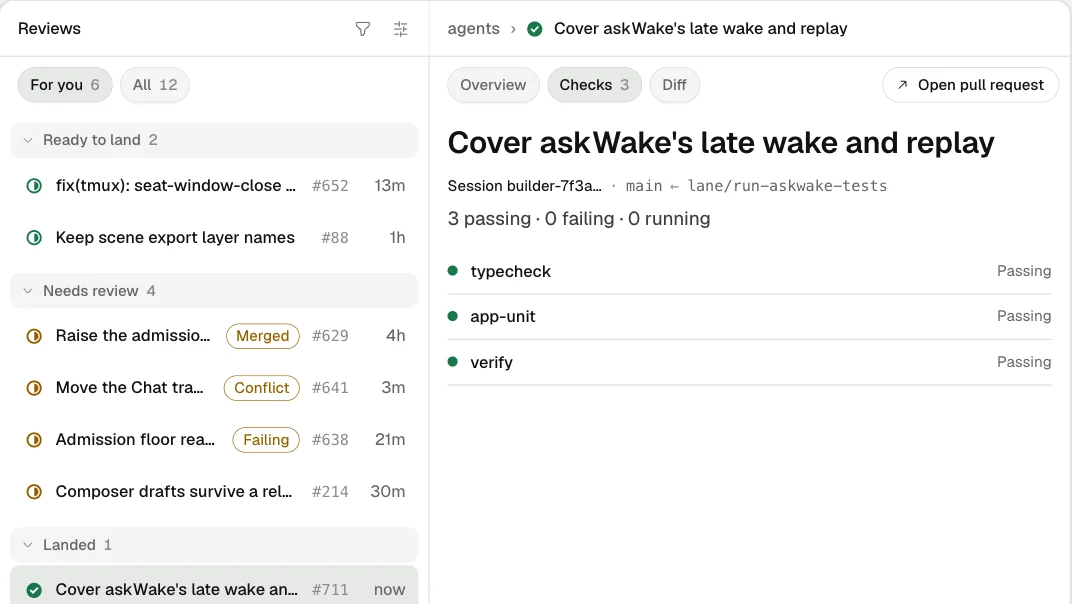
Finished work arrives in Reviews as a pull request with its checks, its diff and the run that made it. Watch it go green and land, or open it when it needs you.
Pulse writes the day's brief: what landed, what stalled and what wants you next.
Channels bring asks to Telegram, so you can answer where you already are.
The iPhone app answers questions and approves reviews away from the desk.
The menu bar shows what needs review and what is in flight, one click from any app.
Library keeps your agents, prompts, workflows and connections in one catalogue.
Automations run recurring work on a schedule, with a receipt for every run.
Hosts shows each machine your agents run on, and when it was last heard from.
Members bring a team into the same room, each person with their own runs.
A room for the coding agents on your machines. It mirrors the harnesses you already run into one place where you ask for work, watch it run, steer it, review it and land it.
Whatever you have configured locally. Today that means Claude Code, Codex and Pi. agents reads your setup; it never asks you to sign in to a provider through us.
On your machines. The agents CLI hands queued work to your local harnesses. A cloud box running your harnesses with your keys counts as one of your machines.
A mirror of the work's state—threads, runs, traces and reviews—so every client sees the same fleet. Your provider credentials stay on your machines.
A run reached a real fork: a question, an approval or a decision only you can make. It interrupts in every client until you answer it.
Yes. The iPhone app, the macOS menu bar and channels such as Telegram can each answer a question or approve a review.
By invitation while it is built. With an account, sign in, then install the CLI on each machine from the install page.
By invitation while it’s built.
On the web, iPhone, the menu bar and the terminal.